Project intro
SpotDraft’s contract repository hadn’t been look after for more than a year and after multiple customer complaints reaching to the customer success team, the product team wanted to improve their repository and search experience. It was a high stake project since SpotDraft was under contract obligations with clients and had to fix this experience or else these clients would have to terminate their service with SpotDraft.
Duration and contribution
2 months
My contribution included discovery, design handoff and quality assurance.
Impact
Drop in the median time to reach a contract, from 38 secs to 23 secs
>172 views
with 6+ columns across 90 workspaces
Problems with legacy repository
Our customer success team were getting multiple user feedback on the repository experience. Some highlights of these feedbacks were:
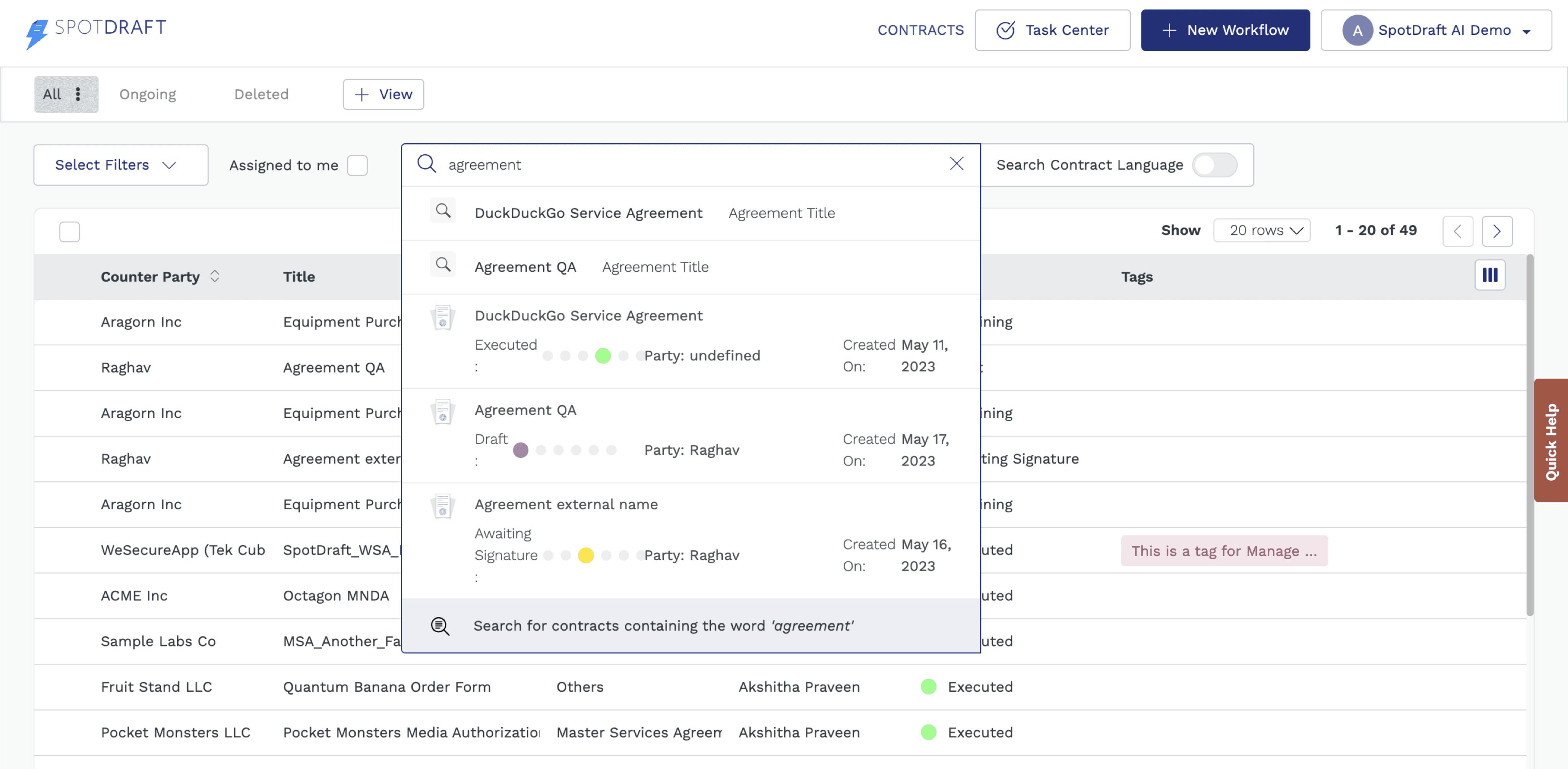
Even if users input a query to search, most of them don’t know that they can press “enter” or “return” to start an approximate text match search.
Search suggestions are limited and are exhaustive, a lot of the times users don’t find the contract that they are looking for in the suggestions.
For the users who do use approximate search, the contract repository grid doesn’t show any text match in the columns. Sometimes the results are in the hidden columns.
What are others doing?
We looked at other Saas and CLM (Contract Lifecycle Management) tools to see where the industry stands with their grid and search experiences.


Ironclad (SpotDraft’s direct competitor) uses a combined search where they search in contract text and normal keyword search among grid columns. They also highlight the searched query in the columns


Shopify does an SQL based search where users can search for keywords in columns as well as within filters. They let users save their filtered and searched views as well which SpotDraft also supports and is pretty common in other CLMs.

Hubspot takes users to a separate page itself to search for keywords amongst different groups and then allows adding filters in the searched results also.
Different visions, 2 PMs and 1 designer
Studying different competitors we tried to make our own versions of the repository experience, 3 different visions from 2 PMs and 1 designer.

PM 1
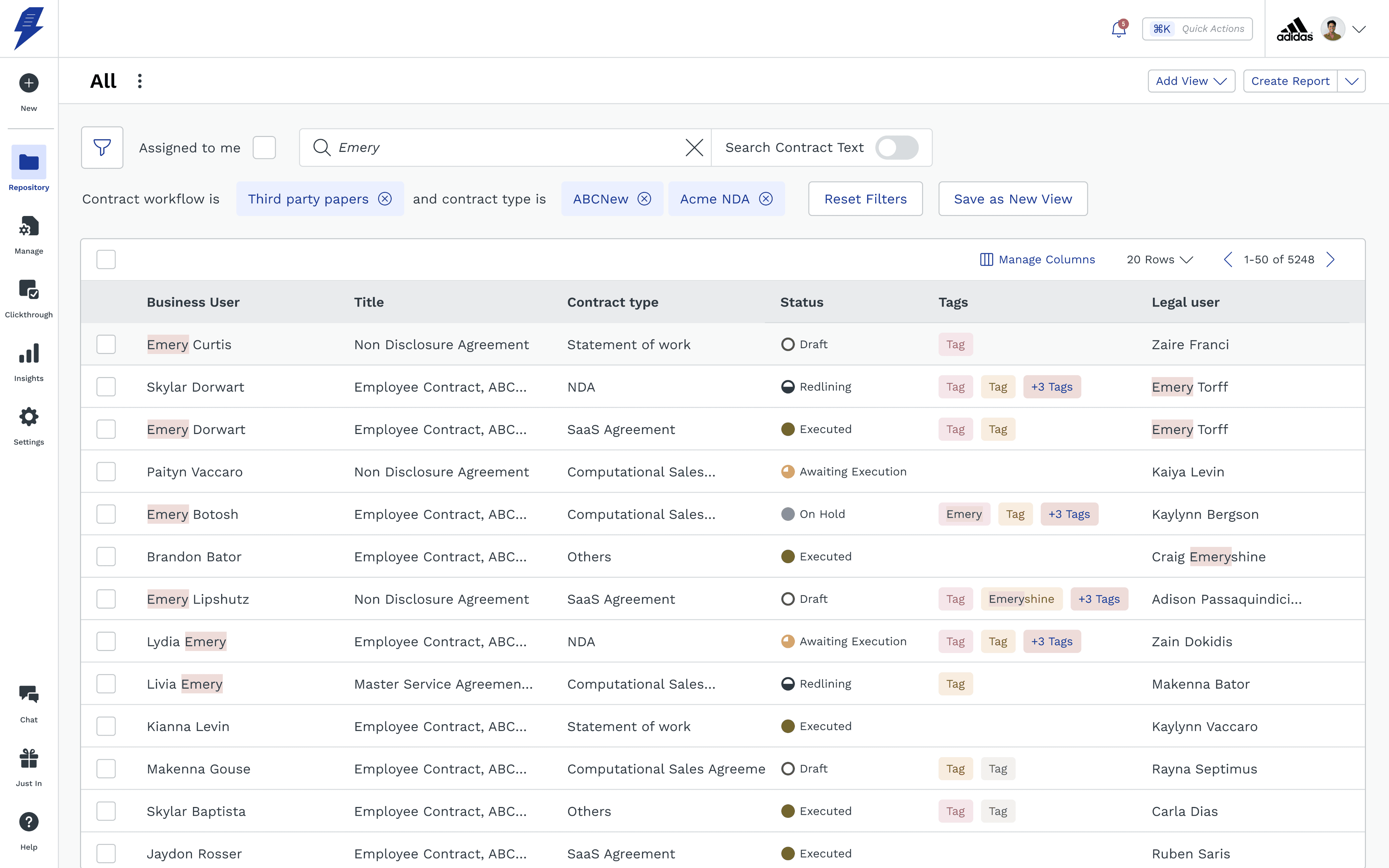
Assuming that users don’t exactly remember which contract they want, let them filter the repository grid primarily and then narrow down to the contract that they were looking for.
PM 2
Improve the search to instant search where there are no suggestions, just highlight all keyword they are searching for in the grid without a need for pressing on enter to start search.
Designer
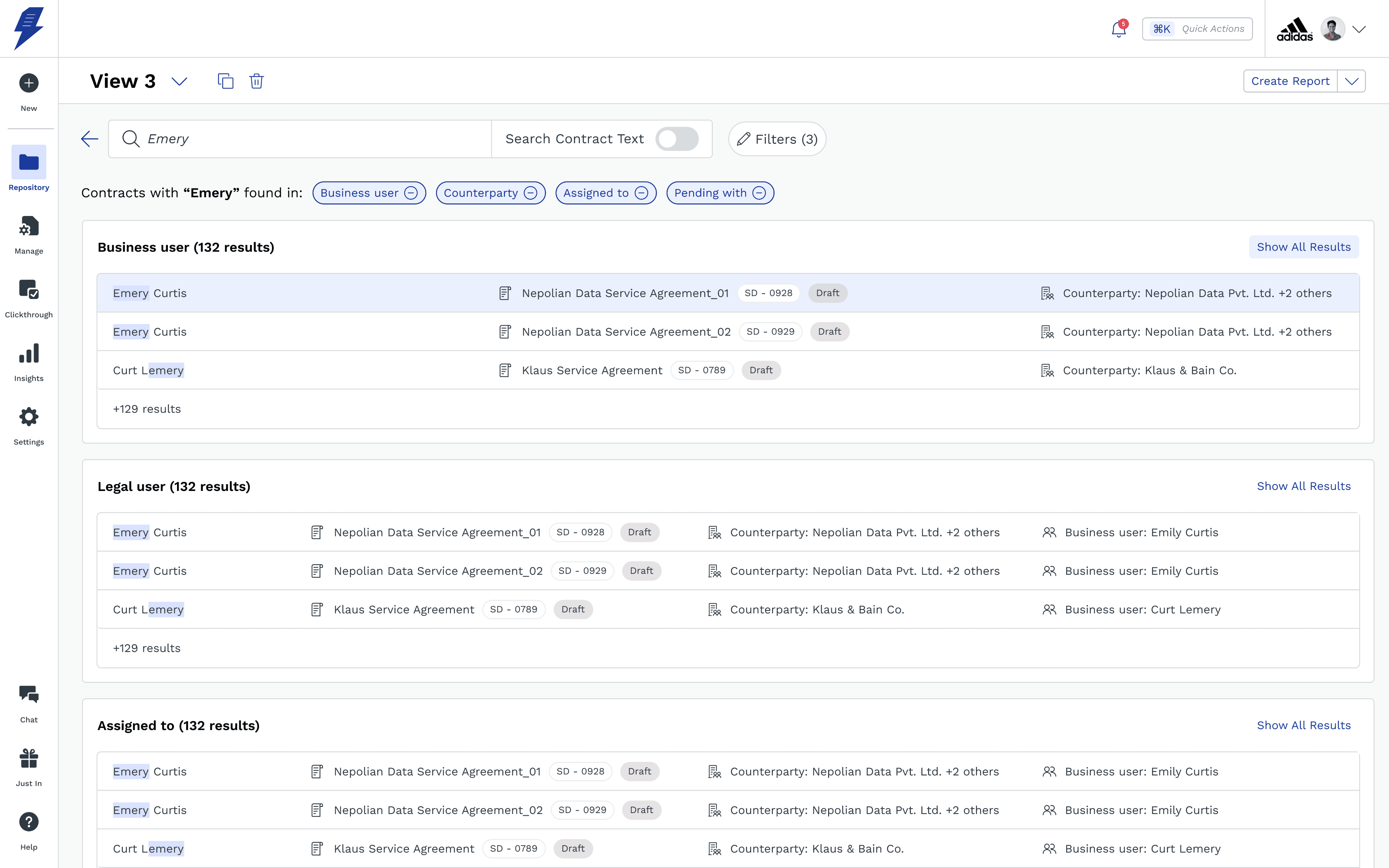
Let users filter the main repository grid but take them to a separate page for a more focused search, allow users to select which columns do they want to see the results in also. Allow them to filter the repository in the search page also.
PM 2 won!!
After very long debates with the larger product team and design team, we came to a conclusion that users do know what contract they are looking for and thereby will search for the exact term that can get to the contract. PM 1 and the designers approach was mostly focusing on the case where users won’t remember the exact title of the contract that they are looking and thereby will try to narrow down after filtering via different methods.

Instant search to show highlights of matching results in the repository

Adding unlimited columns in grid from the manage columns side panel.
Further development on PM 2’s idea
As we started developing on PM 2’s idea further, more issues started coming up as we started speaking with the development team. We had to solve for these issues as the development started.
Instant search and the highlighting in hidden columns
As we were showing searched results instantly in the repository columns, we had show the results in the hidden columns also which were not added to the repository. Therefore we had to allow users to add unlimited columns and also append columns with search results at the end of the repository.
Pinning first column
By allowing users to add unlimited columns and horizontally scroll through the repository, we had to pin one column in front to help user anchor to one piece of information along the repository once they start scrolling horizontally.
Repositioning contract text search
Before this new introduction of horizontal scrolling and unlimited columns, the contract text search results would show up in one column at the end of the repository but since there could be many columns added by the user, the text search could get hidden. Appending next to the pinned column made the most sense. We also gave it a visual overhaul with using our new tertiary button and a new icon.
Resizing columns
As users would add more columns, the repository grid would start becoming more clunkier and they would need a way to personalise as much as possible. Adding flexible columns and helping users resize them was a no brainer.
User Onboarding
Since these new changes are taking place on the main page of SpotDraft, all the users will have to be educated about all the new functions in repository, especially adding more than 6 columns and pinning columns, since managing these take place inside a side sheet.
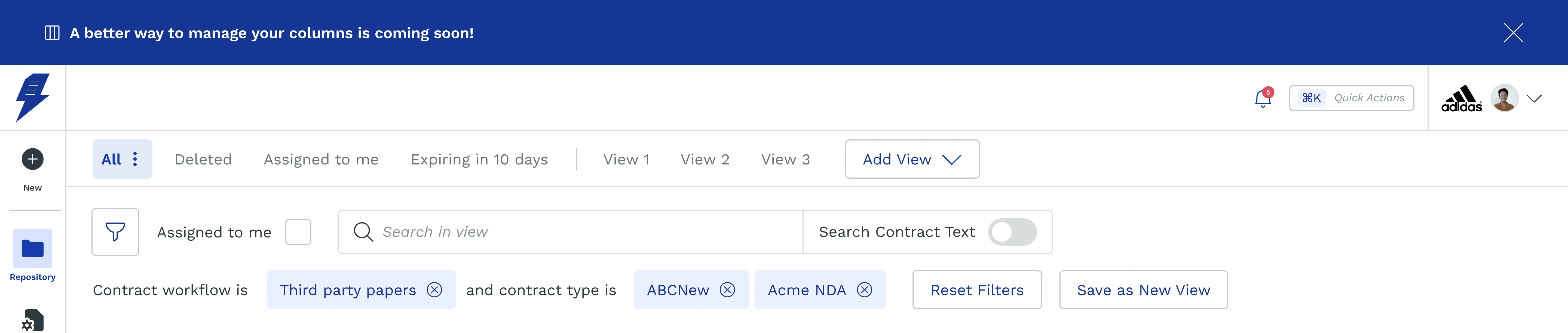
Inform the users in advance about the changes
This is just to cushion the legacy users about an upcoming and saving them from a shock, this way they can be more prepared. This also allows for us to get our users excited about something new.

Onboard with all the new features and how to’s
This is just to cushion the legacy users about an upcoming and saving them from a shock, this way they can be more prepared. This also allows for us to get our users excited about something new.
Happy customers, order form renewed :)
“We’ve tested the search functionality improvements and we are happy with those changes, It will help our users in their day to day and ability to quickly utilize the tool. We can close out the renewal order form.”
Takeaways
Design system upkeep
For making the new repository grid, all the edge cases of how the repository might be used had to be figured and the older grid component had to be updated. For every project onwards I had taken care that we don’t end up asking developers to build any component without updating the design system.
Quality check
As the page is highest traffic page for SpotDraft, the PM and I had to sit with developers as the development was happening to work out all the smaller details. This meant even changing some of the designs along the way as the development brought new use cases to be thought of.


Like what you see?
Resume
Contact
+91-9521788932
arpitsingh10c@gmail.com
Made on Framer & Figma
in Bengaluru, India
By Arpit Singh